Taxes
The taxes you collect, their rates over time, and what they apply to
Taxes
 Click to enlarge
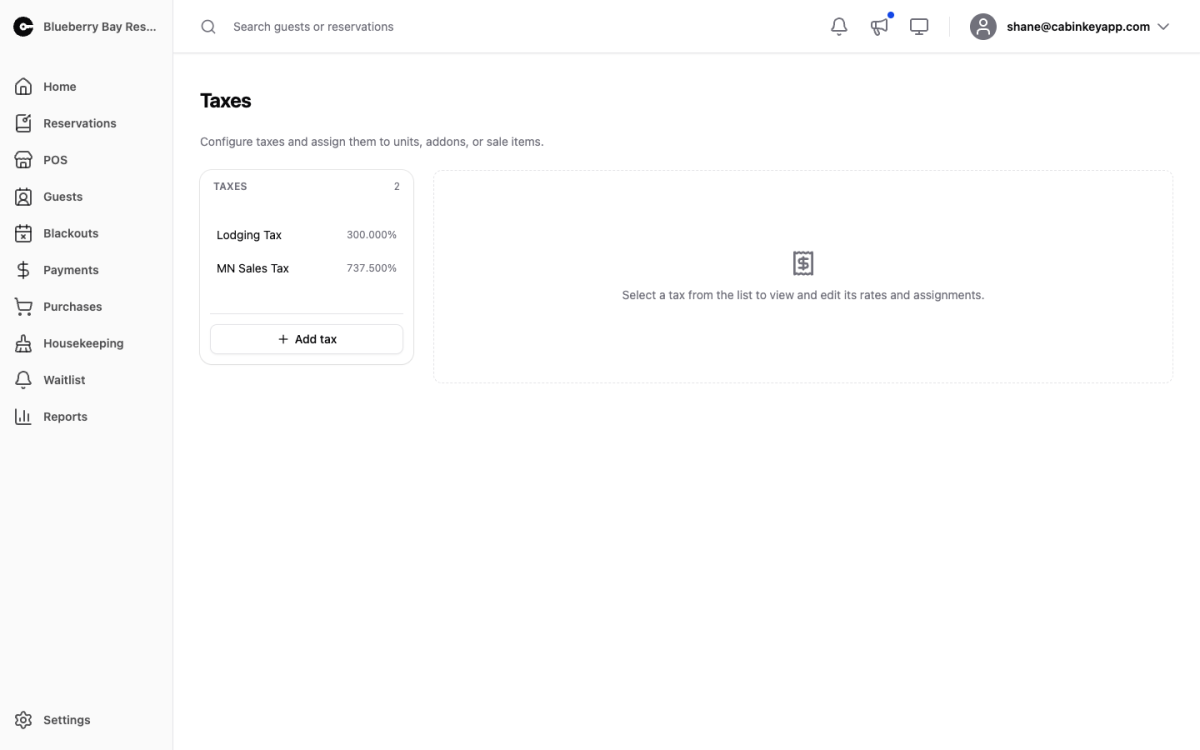
Every tax you collect, what it is charged on, and what it has been over time. Most properties have at least two — a state or provincial sales tax and a local lodging or occupancy tax — and they often apply to different things and change on different dates.
The page is a master list on the left and a detail pane on the right. Add tax creates a named tax; select one to work on it.
What you set up here drives the Taxes Report, which is what you file from.
Tax List
 Click to enlarge
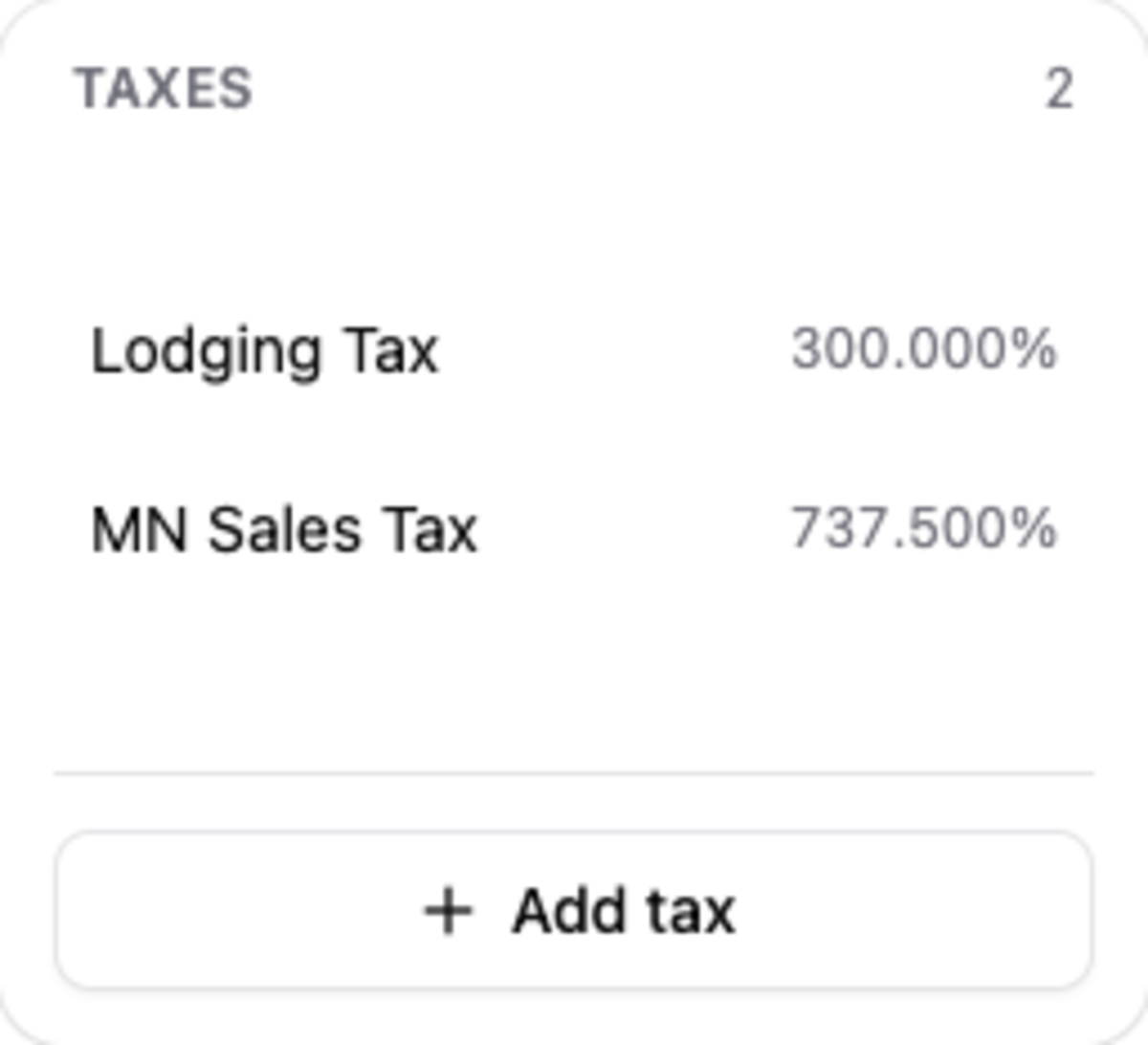
Every tax on the property. Name them the way your filing does — “State Sales Tax” and “County Lodging Tax” rather than “Tax 1” and “Tax 2” — because those names appear as column headers on the report you file from.
Tax Details
 Click to enlarge
The selected tax’s name and settings.
Rates
 Click to enlarge
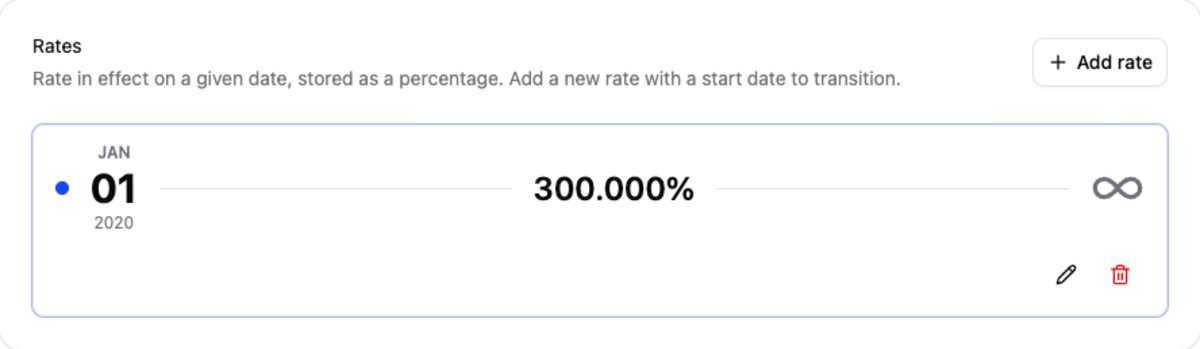
A tax is not one percentage — it is a percentage with a start date, and a history of them.
Add a new rate with the date it takes effect rather than editing the existing one. When your state lodging tax goes from 5% to 5.5% on January 1st, add the new rate starting that day; CabinKey™ keeps charging 5% up to the 31st and 5.5% from the 1st, and a booking made in November for a February stay is taxed correctly.
Editing the old rate in place would rewrite history and break the Taxes Report for periods you have already filed. Adding a dated rate is what keeps past filings reproducible.
Assignments
 Click to enlarge
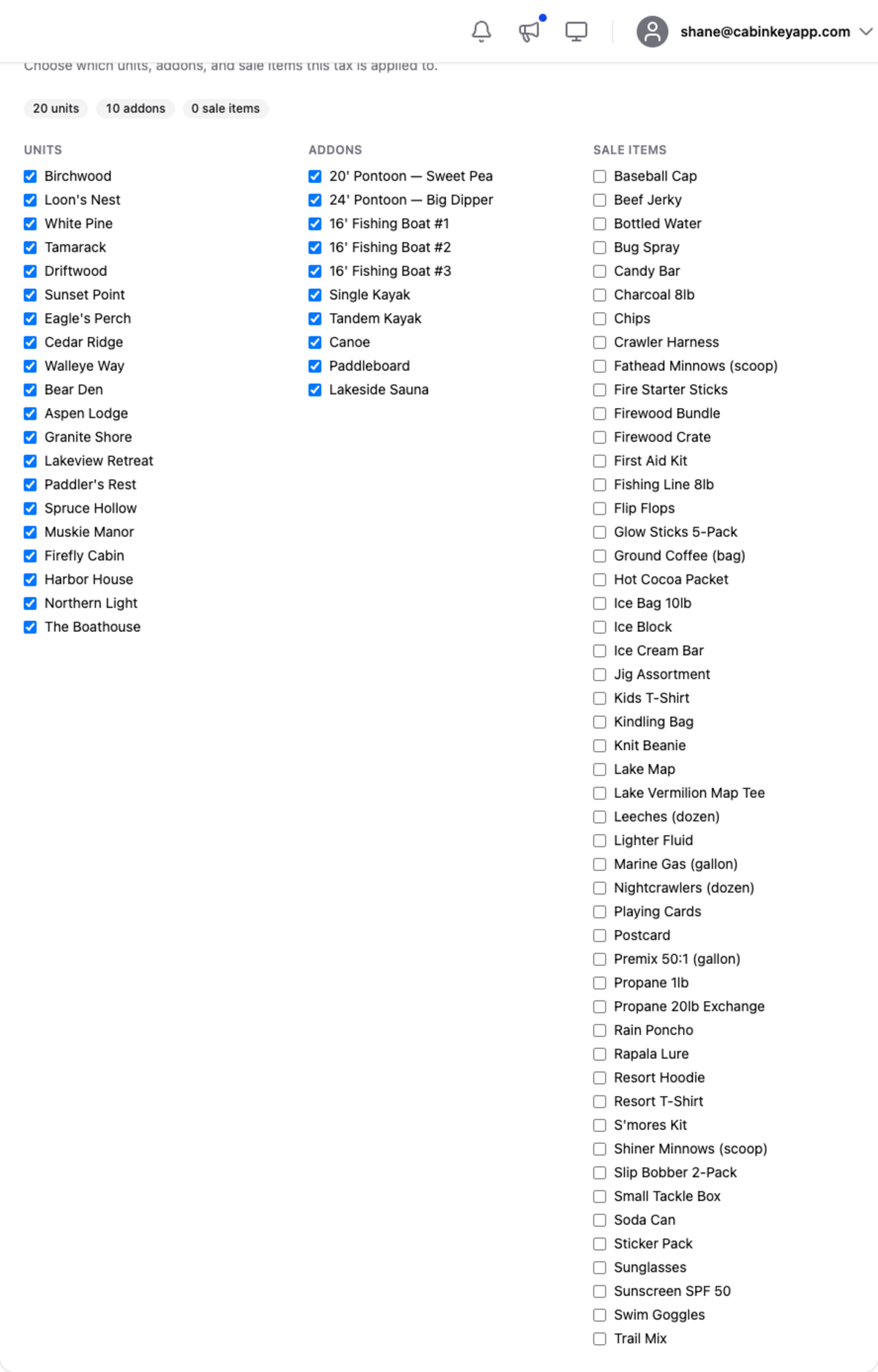
Which units, add-ons, and sale items the tax applies to.
This is where taxes most often go wrong, because the answer differs by tax. A lodging tax typically applies to unit stays only; a sales tax often applies to sale items and add-ons but not to accommodation. Assign each tax to exactly what it covers rather than assigning everything to everything.
The same assignments can be managed from each item’s own page, whichever is more convenient — by tax when you are setting up, by item when you are adding a new unit.
A good check after changing anything: run the Taxes Report for a recent period and compare the taxable amount against the revenue you expect to be taxed. If the base is too low, something is unassigned.
Danger zone
Deleting a tax permanently removes it along with all of its rates and assignments, and it cannot be undone.
If a tax simply no longer applies, adding a 0% rate from the date it ended is almost always the better move — it stops charging without destroying the history you need for past filings.