Rate Adjustments
Fees, pet charges, extra-occupancy charges, and demand discounts and premiums
Rate Adjustments
 Click to enlarge
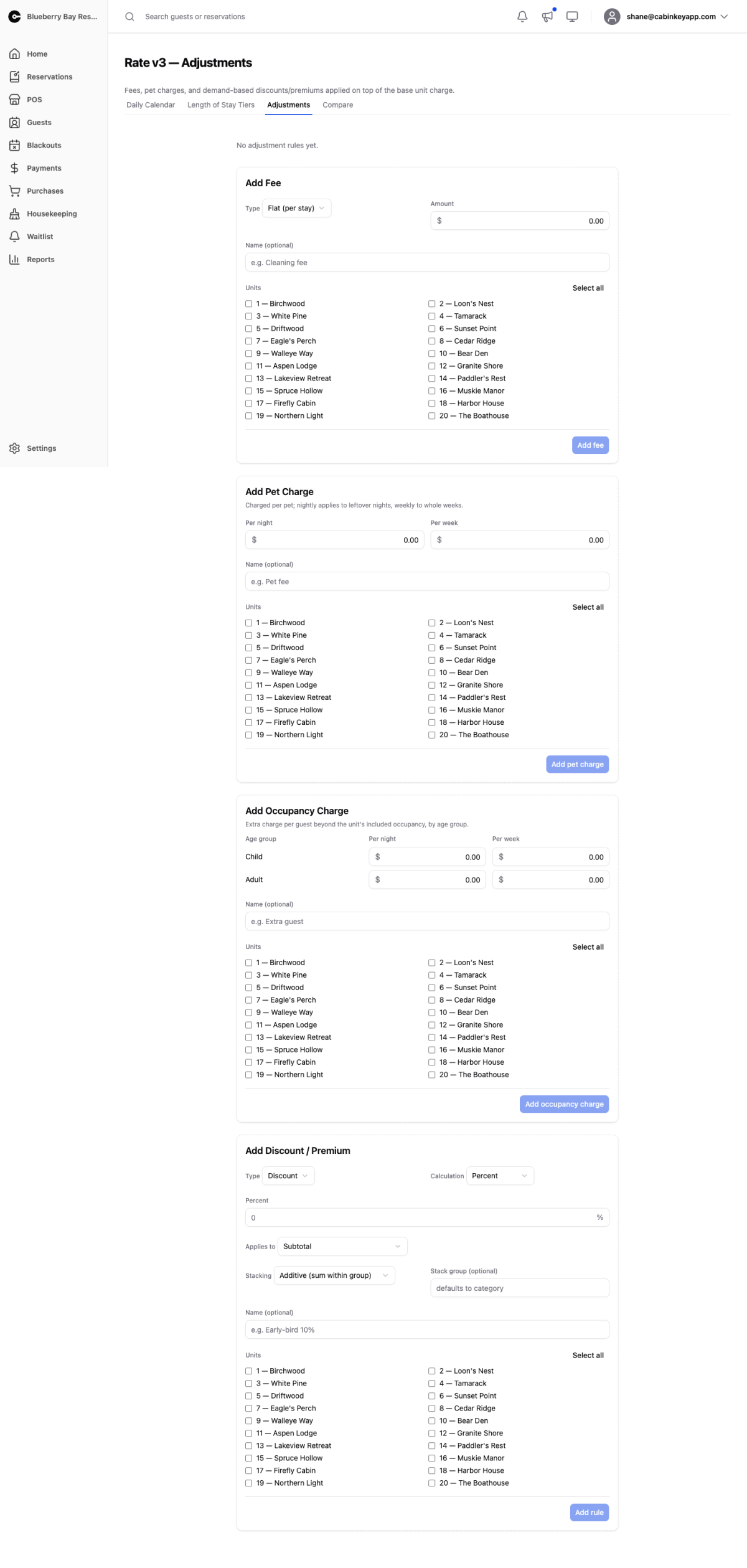
Adjustment rules are everything added to or taken off a stay after the base charge has been worked out. They run last: the daily calendar sets the nightly rates, a length of stay tier may reprice the stay as a whole, and then these rules apply.
There are four kinds, each with its own form:
- Fees — a cleaning fee, a booking fee, a resort fee.
- Pet charges — per pet, nightly and weekly.
- Occupancy charges — extra guests beyond what the unit’s rate includes, priced by age group.
- Discounts and premiums — demand-driven pricing that moves the whole stay total up or down.
Every rule is scoped to specific units, so a cleaning fee can differ between a studio cabin and a six-bedroom lodge.
Existing Rules
Once you have added rules they are listed above the forms. Each rule is one row showing its category, its value, and the units it covers. Click a row to expand it and see the full picture: every unit it applies to, the calculation, the amount, and — for percentage rules — which part of the stay the percentage is taken from.
Delete removes a rule. There is no disable, so a rule you want to stop applying has to be deleted and re-added later.
Add Fee
 Click to enlarge
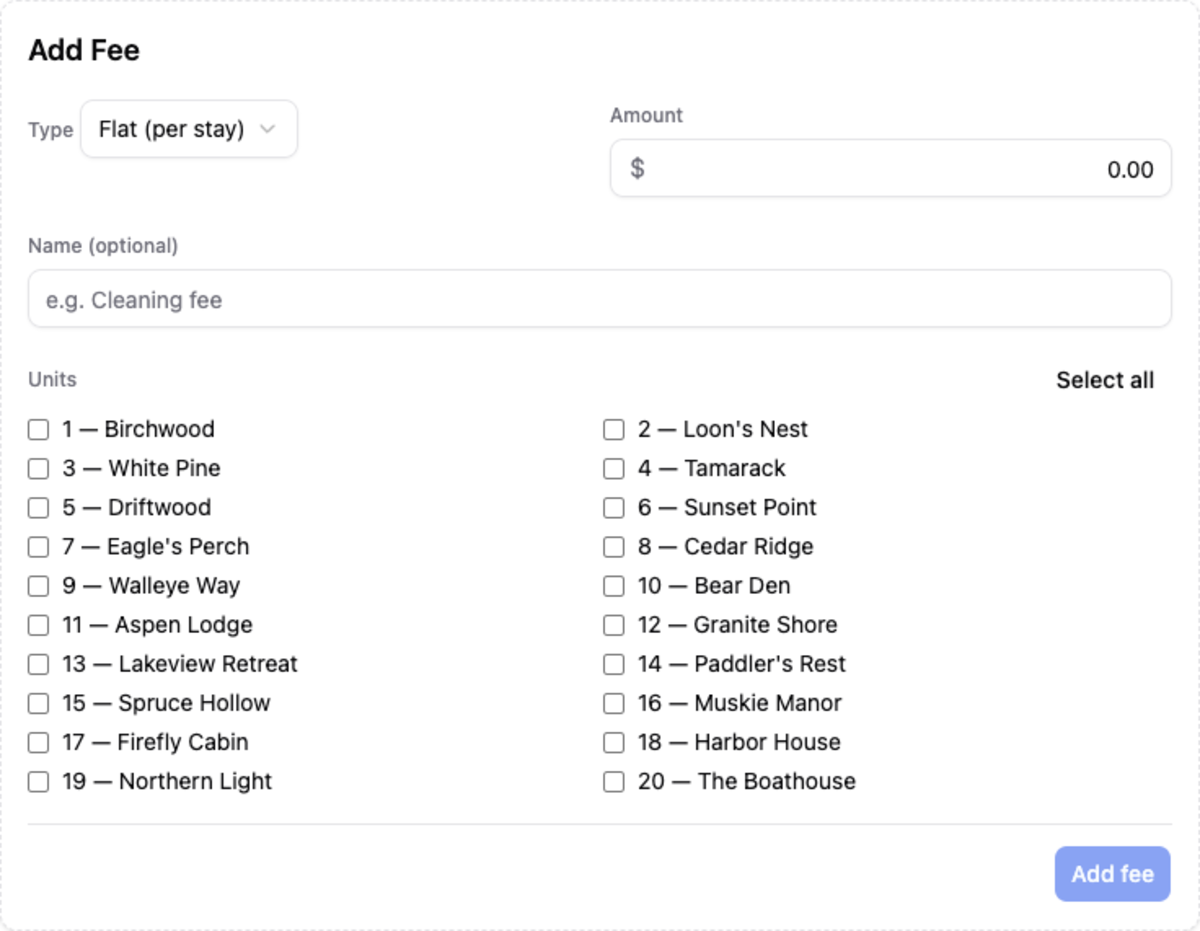
A fee is a straightforward charge added to the stay. Flat (per stay) charges once no matter how long the guest stays — the right choice for a cleaning fee. Per night multiplies by the number of nights.
The Name is optional but worth filling in. It is how the charge is identified when you are looking at a reservation later, so “Cleaning fee” beats an unlabelled amount.
Add Pet Charge
 Click to enlarge
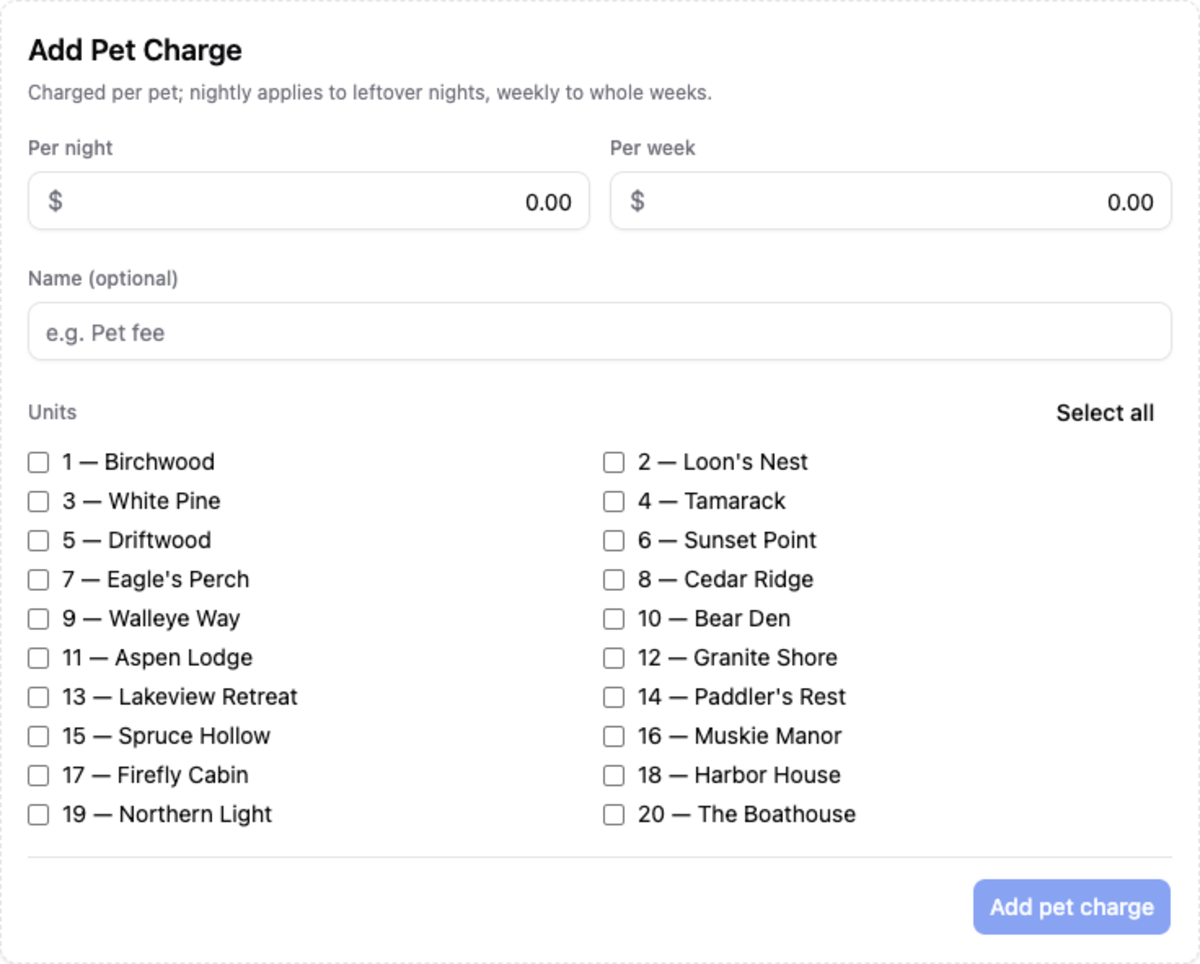
Pet charges are per pet, and take both a nightly and a weekly amount. Whole weeks of the stay are charged at the weekly rate and the leftover nights at the nightly rate, so a guest bringing a dog for ten nights pays one week plus three nights rather than ten nights straight.
Set only the nightly amount if you do not offer a weekly pet rate.
Add Occupancy Charge
 Click to enlarge
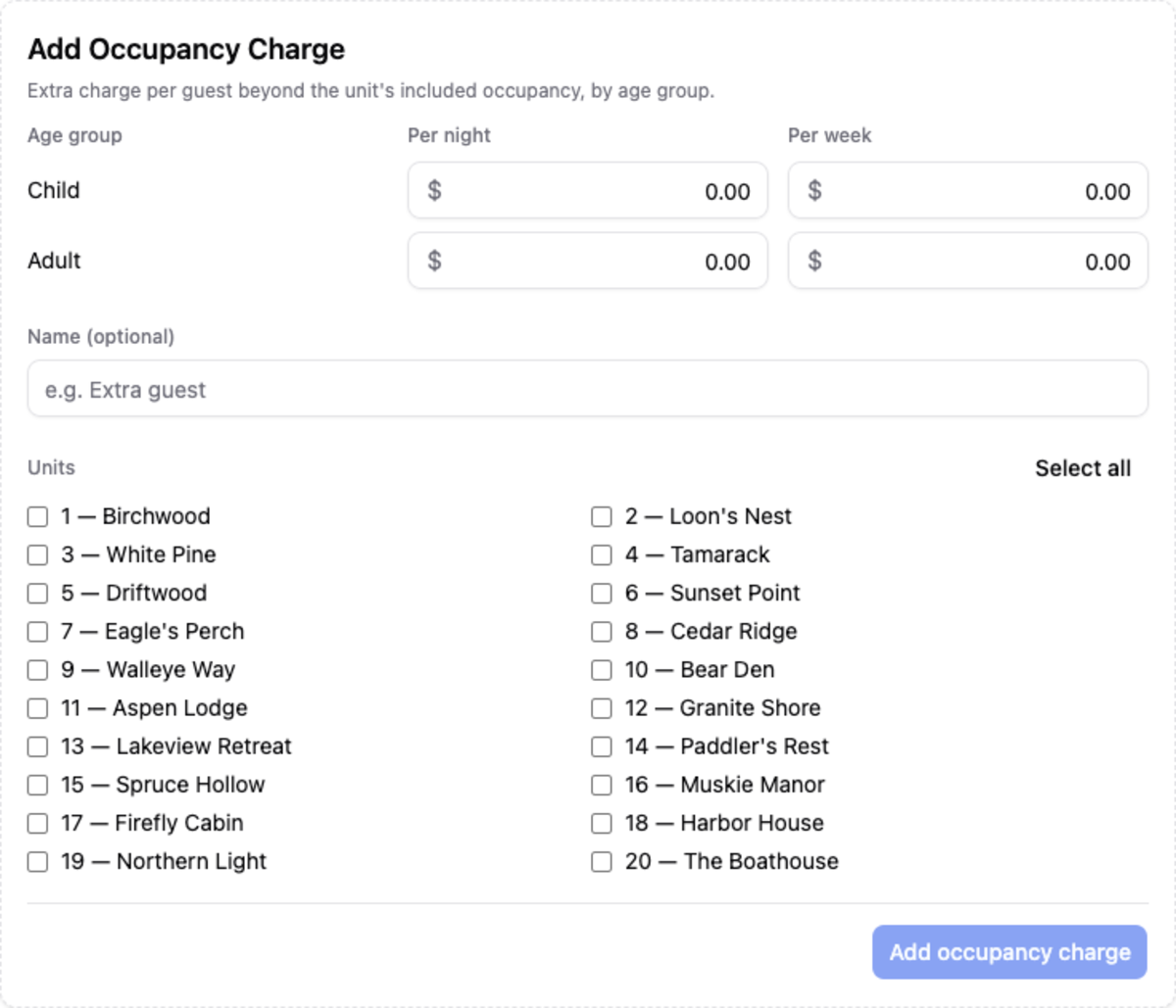
An occupancy charge covers guests beyond the number included in the unit’s rate. The included count comes from the unit’s occupancy setting on its detail page; this rule prices everyone past it.
Amounts are set per age group, nightly and weekly, so you can charge for an extra adult but not an extra child. As with pet charges, whole weeks use the weekly amount and leftover nights the nightly one.
When a party is over the included occupancy, the most expensive age groups fill the included spots first. A family whose adults are chargeable and children are free is charged for the children’s overflow, not the adults’ — which is almost always what the guest expects.
This form only appears if the property has age groups configured.
Add Discount / Premium
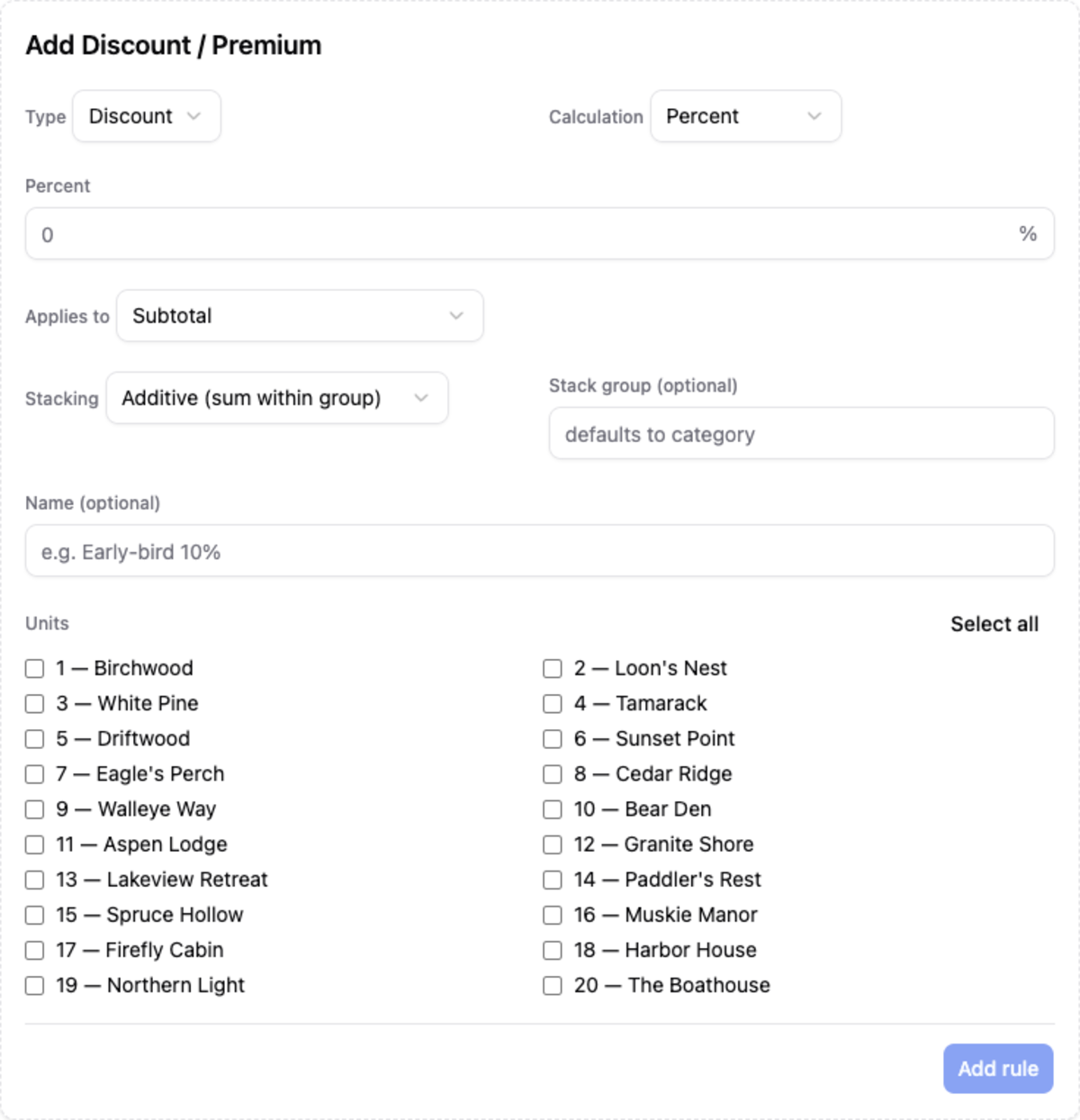 Click to enlarge
Discounts and premiums move the whole stay total. Discount takes money off, Premium adds it on; otherwise they behave identically.
Calculation is either a percentage or a fixed amount. For a percentage you also pick what it applies to, and the choice matters:
- Subtotal — the whole stay including fees and occupancy charges.
- Unit charge — just the nightly rates, before any length of stay tier.
- Unit charge after Length of Stay — the nightly rates as repriced by a LOS tier.
A 10% early-bird discount on Subtotal discounts the cleaning fee too. On Unit charge after Length of Stay it discounts only the accommodation, after a weekly rate has already been applied. Pick the base that matches what you actually promised the guest.
Stacking controls what happens when more than one discount or premium could apply:
- Additive — every rule in the group applies and the results are summed.
- Best wins — only the one that produces the lowest total applies.
- Exclusive — this rule applies and suppresses everything else in its group.
Rules stack within a stack group, which defaults to the rule’s category. Give two rules the same stack group name to make them compete with each other; leave the groups different and they apply independently. An exclusive “Black Friday 30%” rule that shares a group with your standing early-bird discount will shut the early-bird out for as long as it exists.
Because these interactions are easy to get wrong, price a few real scenarios on the Compare page before switching a property over.