Seasons
The date ranges your pricing is organized around
Seasons
 Click to enlarge
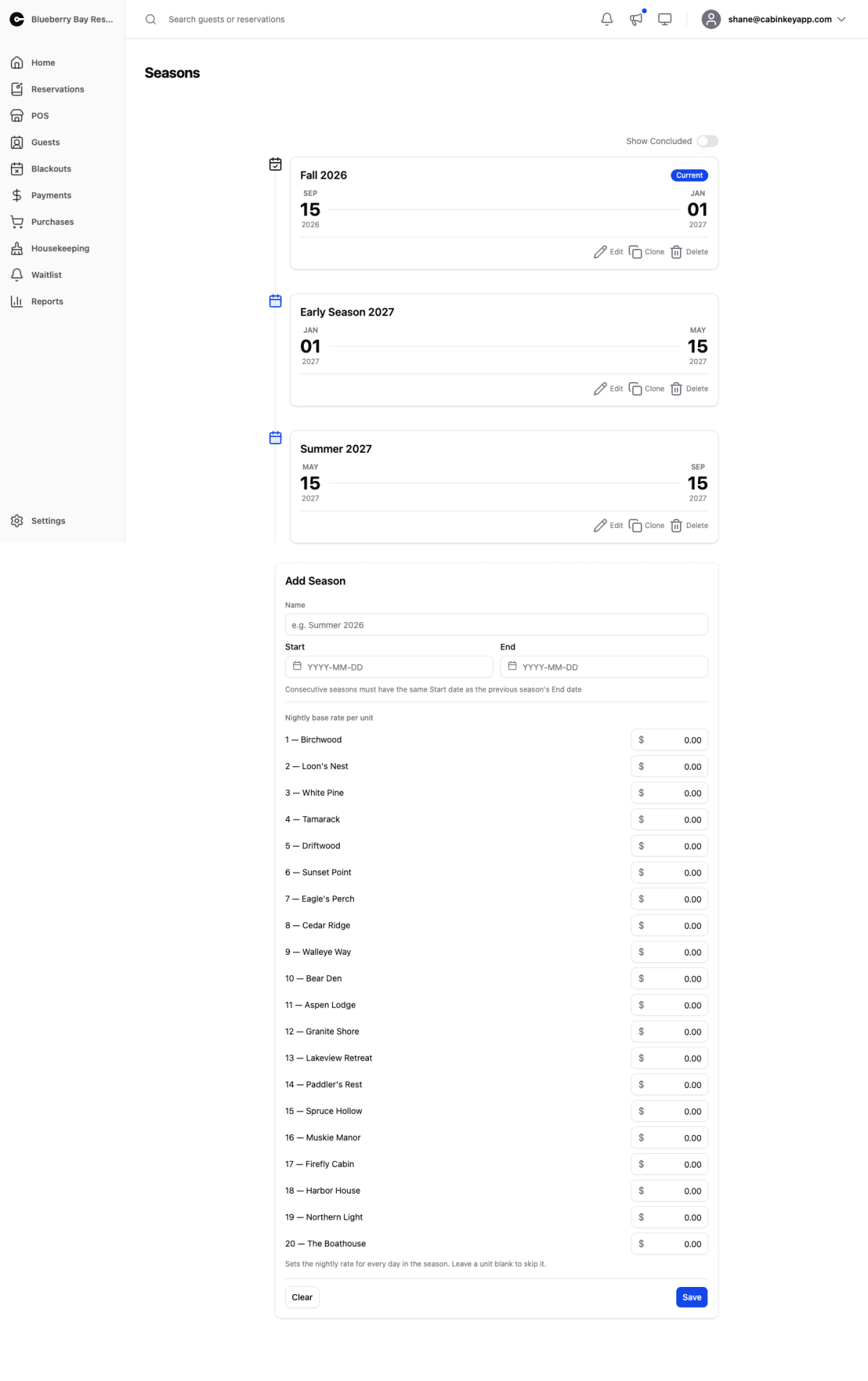
Seasons are the date ranges everything else is priced against. Rate plans, add-on rates, and stay rules are all assigned per season, and on Rate v3 seasons are what the daily calendar is seeded from.
Because so much hangs off them, seasons are the first thing to set up and the first thing to check when something is not bookable.
Add Season creates one with a name, start, and end date. Show Concluded reveals past seasons.
Seasons must connect
Consecutive seasons have to join up: each season’s start date must match the previous season’s end date. CabinKey™ warns you when a gap opens.
Take the warning seriously. Guests cannot book a stay that spans a gap, and the failure is invisible from the admin side — the units look fine, the rates look fine, and the booking simply does not go through. A property whose seasons stop at the end of this year will quietly refuse every booking for next year until another season is added.
The usual practical shape is to cover the full calendar year with no unpriced dates, even if some of that time is a closed or off-season period you price high or block with blackouts.
Working with a season
From a season’s row you can:
- Edit its name and dates. Changing dates changes which nights are priced by what, so do it between seasons rather than mid-season where you can.
- Clone it, copying rates and assignments from another season. This is how next year gets built — clone last year, then adjust.
- Set a nightly base rate per unit for the whole season in one step, leaving a unit blank to skip it.
- Delete a season you no longer need, which also removes what was assigned to it.
Naming
Name seasons for the period rather than the year — “Summer”, “Shoulder”, “Winter” — and let the dates carry the year. Names like “Summer 2025” are fine too, but they need renaming every time you clone, and a stale name on a live season is a reliable source of confusion when you are assigning rates.